Build Mode
You can wire everything by hand — the attributes are the whole API, and this site documents all of them. Build Mode is the faster path: a panel inside the Webflow Designer that asks a few plain questions and then places real elements on your canvas with the attributes already set.
It never inserts a custom-code embed. Everything it builds is ordinary Webflow elements that you can restyle, move and delete like anything else you drew.
Before you open it
You need the script installed and an Algolia index with content in it. Build Mode places elements and sets attributes; it cannot make a page work if there is nothing to query.
The first time you enter, it asks whether you want the panel full-screen or shrunk beside the canvas. It only asks once, and the button in the top right switches at any time.
Four things it can do
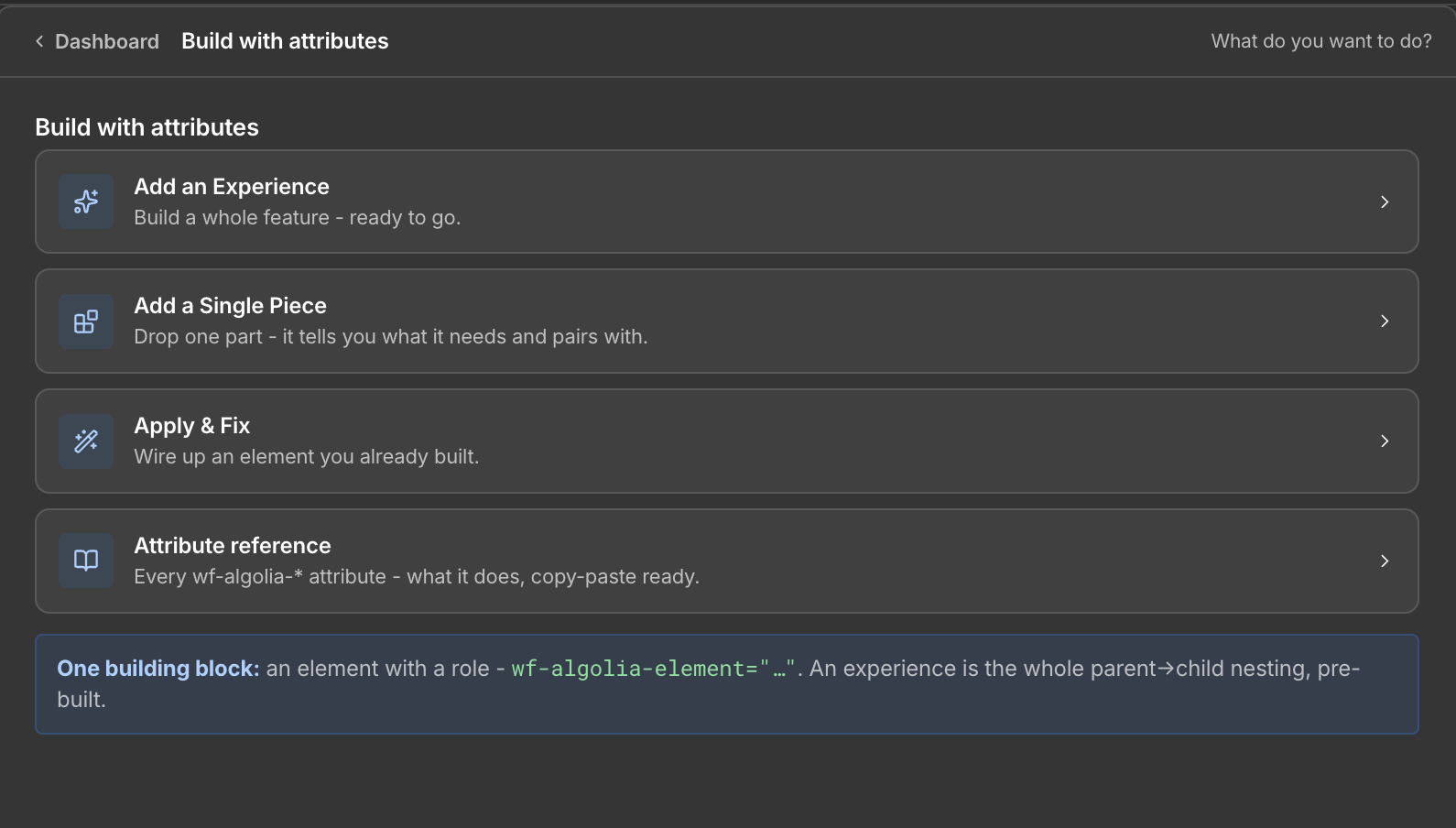
| Card | What it is for |
|---|---|
| Add an Experience | Build a whole feature, ready to go |
| Add a Single Piece | Drop one part — it tells you what it needs and pairs with |
| Apply & Fix | Wire up an element you already built |
| Attribute reference | Every wf-algolia-* attribute, copy-paste ready |
The split is about where you are starting from. An experience is a complete working feature placed in one go. A single piece is one component when you are assembling a layout yourself. Apply & Fix goes the other direction: you already designed the element, and it needs the right attributes.
Building an experience
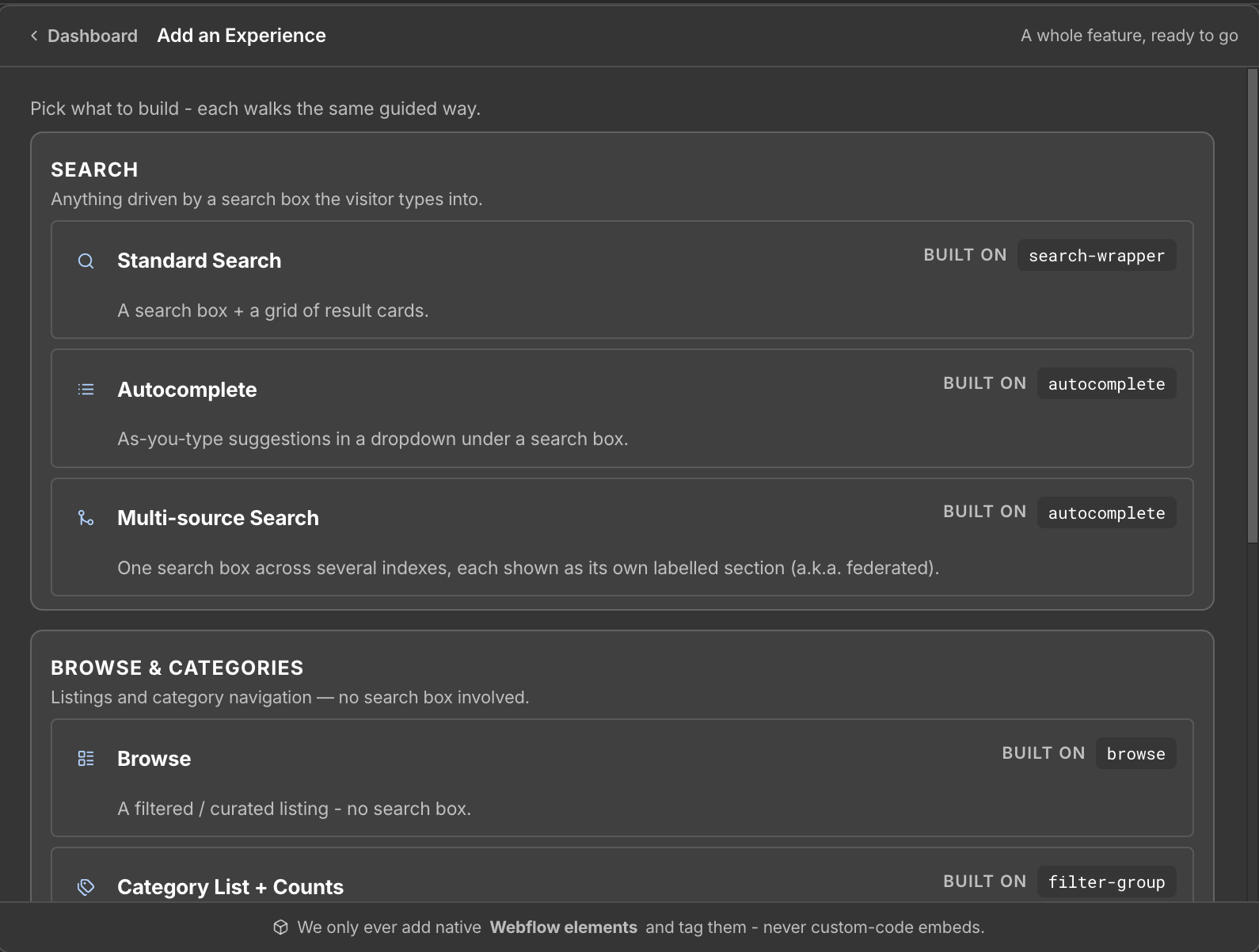
Pick what you are building, then answer the steps in order:
- Setup — where the data lives: the index, and the collection behind it.
- Card — which fields appear on a result. Build Mode never guesses field names; you tell it what your records actually contain.
- Results — the optional extras: pagination, sorting, an empty state.
- Build — review what will be placed, then insert it.
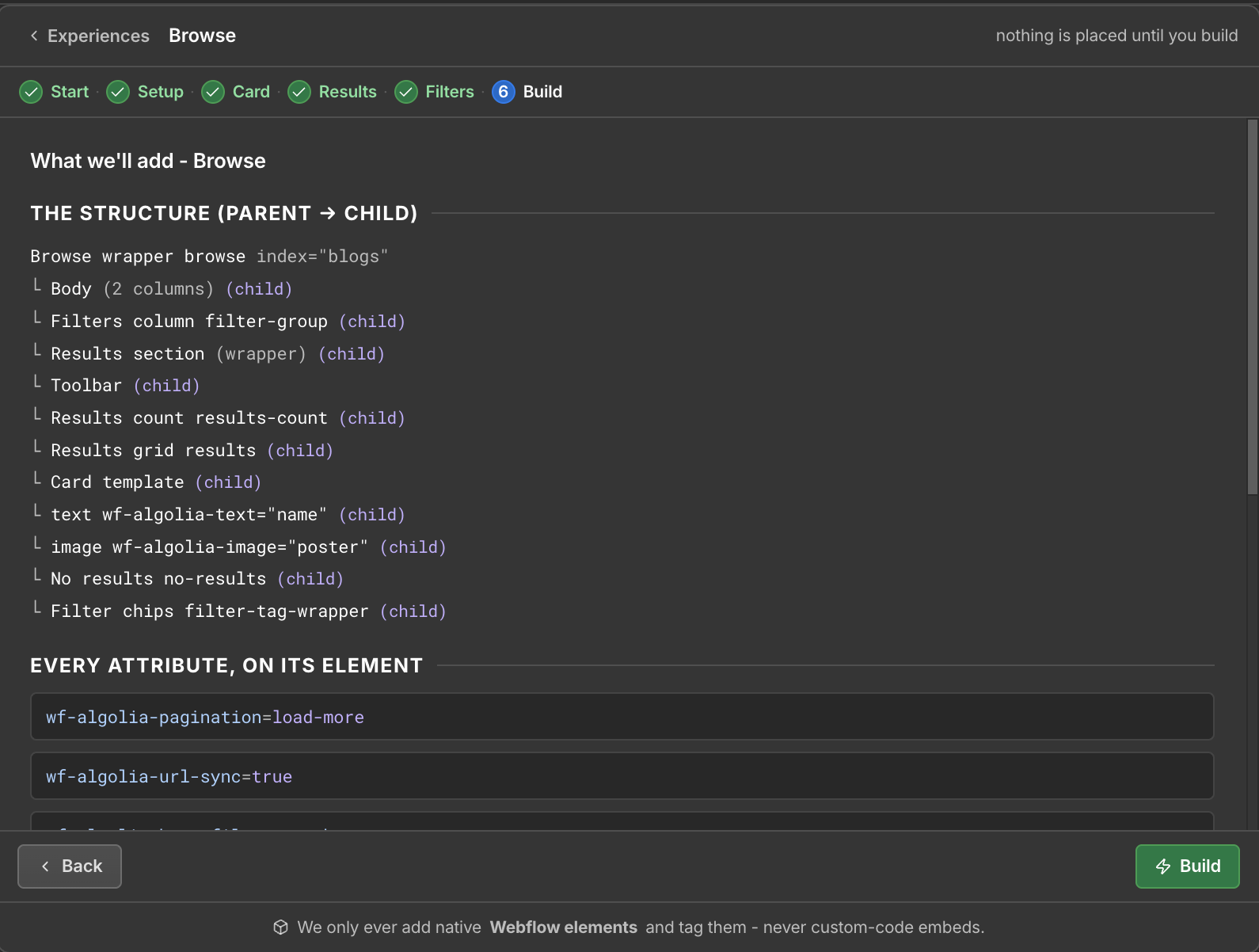
The review step is worth reading rather than clicking through. It lists every element and attribute that is about to be written to your canvas.
Apply & Fix
For an element you have already designed. Select it, and Build Mode shows the roles that element type can legally play — an input can be a search box, a Div can be a results container — then sets the attributes for the role you pick.
It also reports attributes that are missing or wrong on elements already wired up, which is usually faster than reading the console.
The attribute reference, in the panel
The same catalog as this site's reference, inside the Designer so you do not have to switch windows to copy an attribute.
Both are generated from one source, so they cannot disagree with each other.
After it builds
Build Mode places elements; it does not publish. Publish the site and the script takes over from there.
If something does not work afterwards, the problem is usually configuration in Algolia rather than the markup — start at Verify your setup.